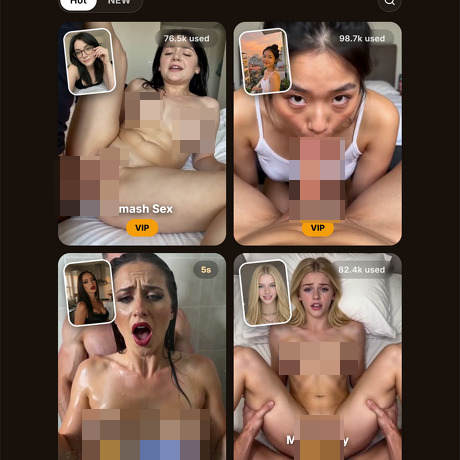
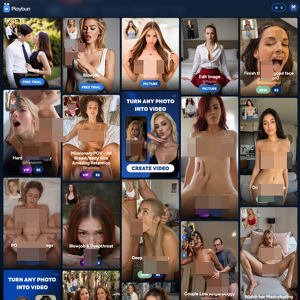
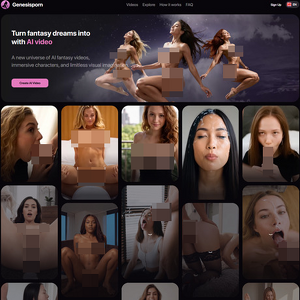
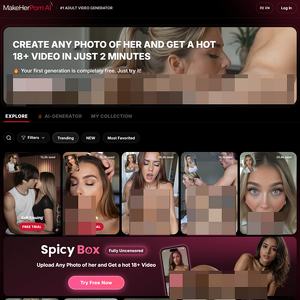
Welcome to the clean, yet tightly packed chambers of FotoxAI.com. The most deliberately arranged adult generator I have seen in a while. It sports a dark background, orange accents, and buttons that probably cost them money to design. The site calls itself the number one adult video generator, and you know what I think of that slogan. It’s overused, and it’s quite a big claim to make when every other site and their mother is saying the same thing. Just pick something else. Something catchy… and stick with it!
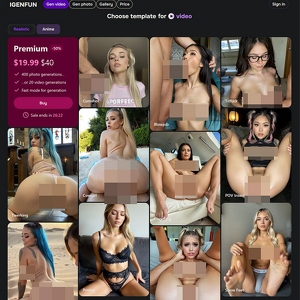
Anyway, navigation is dead simple: Video, Image, Create, Gallery (marked NEW), and My Works. On the surface, there are only about thirteen main video categories, yet every one of them explodes into a ridiculous number of subsections: Mini-Movie, Blowjob, Doggy, Cowgirl, Missionary, Titfuck, Cumshot, Undress Videos, Solo & Squirt, Hand & Foot, BDSM… and that’s just me naming a few. Inside those sit specific templates with names like Shower Doggy Side, Ass-Up Doggy, Hair & Boob Grab Doggy, Couple Rev Cowgirl… you get the idea. I’m not here to line them up so they can take a leak at a port-a-potty.
The image side is the same story, only more obsessive. Subsections include Lingerie, Dress, Undress, Bikini, Sportswear, Office, Cosplay, and a dozen more. I stopped counting after the third scroll. Each one holds multiple specific looks: black lace sets, red sheer pieces, full evening gowns… and so on. I’m only listing them out so you have an idea of what you’re getting yourself into. Point is: the variety is HUGE. And once you choose one of the templates you like, all you have to do is pick a pre-made AI model and hit that generate button.
Touring The Templates
I started where most people do, in the image section, smashing the Undress template. The interface shows your chosen model on the left, a preview of the result style on the right, and four quick toggles underneath: Body Type, Breast Size, Skin Color, Expression… all set on Auto, but can be manually adjusted. I grabbed one of the pre-made models: a smiling blonde with long wavy hair, blue eyes, and a black off-shoulder top. She looks like she just finished a photoshoot and is waiting for someone to tell her the next pose. Well… I told her about the next pose! It was a naked one.
A few seconds later, the results landed: The face is still recognizably her. The body is mostly fine. Then you notice the left breast. It looks like it survived a hydraulic press. Completely flattened, almost smeared across her chest, while the right one sits perky and natural. I scratched my head because, obviously, who wouldn’t? And then I tested out some of the other templates. They yielded better results, so I guess it’s a template and processing thing. Still, eight credits down the drain for a smashed titty is not something you write home about.
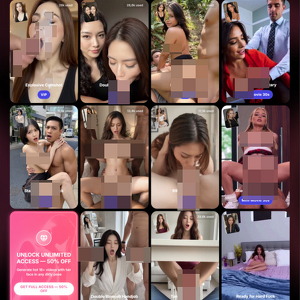
Video templates work the same way. Pick a category, pick a specific template, pick your model, pay, wait. Obviously, I had to go with the Mini-Movies, because who wouldn’t? Templates here promise multiple scenes, sound, and dialogue. I went straight for Cheerleader Quickie: four scenes, 26 seconds, English dialogue, priced at a chunky 150 credits. I slapped one of the pre-cooked platinum blonde AI baddies in there and let the AI cook. It took roughly five minutes. The motion is solid. She brushes her hair, drops to her knees, works the cock, gets bent over the bathroom counter, rides, gets her top yanked up, and finishes with a tongue-out cumshot look… The problem is the girl herself. I loaded a platinum blonde.
What came back is a regular blonde with a slightly different face and hair. I’m pretty sure that if I added a brunette, the FotoxAI wouldn’t get confused, but man… this is the second time that the generator has had a hiccup. Surprisingly, it’s not in the second-dick-spawns-out-of-nowhere variety, but still… it could’ve at least pretended she was a platinum blonde. But hey, if you nitpick too much as I do, then you’ll never get anywhere. There are still plenty of generative features to explore. So let’s get on with it.
The More Cohesive Way To Do Things
The Create tab is where shit gets real! It works for both images and videos and gives you a prompt box instead of templates. The image version shows your model, a text field, and a row of example prompts you can tap, like Tiny red bikini on the beach, or Secretary, blouse unbuttoned, and toggles for realistic lighting, high-detail skin, hotter pose… You get the gist. It’s a whole ass customizable menu. I was lazy, so I used the tiny red bikini preset on the same platinum blonde. The result came back looking excellent. Sunny beach, red string bikini, correct body, correct face, no hydraulic press disasters… great job overall.
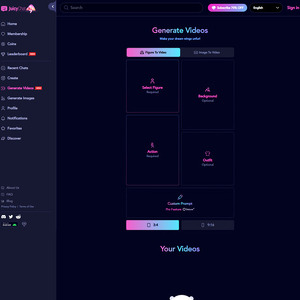
The video version of Create is more expensive and more powerful. You describe how she moves, pick a duration (5s or 15s), pick a quality (SD or Ultra), and optionally let the AI expand your prompt. This one also has presets, but I felt like cooking up my own this time around. Basically, I told the AI that the platinum blonde babe should take off her clothes, play with her boobs, spit on them, and turn around to spread her butt cheeks. Then I set it to 15 seconds at Ultra quality. The AI drained 150 credits from my account and asked me to wait six minutes.
What came back was the best prompt adherence I have seen from any of these tools. No, seriously… I’m not even fucking with you! She starts in the beige dress, pulls it up and off, plays with her breasts, spits a visible string of saliva onto them like she has been doing it for years, then turns around, bends, spreads… pure perfection! No, the tits weren’t squashed! No, she didn’t grow a third arm or stray away from the description! I have watched a lot of AI video generators ignore half the prompt or invent new clothes halfway through. But this one was not a part of that horde.
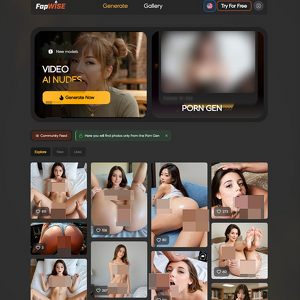
I had to move on from that bad boy, so I decided to explore the last available NEW section: the Gallery. It shows previews of what other users have generated and lets you remake those exact scenes with your own chosen AI character. The results I saw there were consistently strong, closer to the Create quality, but still had that template feel to them. Some of them had a bug that didn’t allow me to select the AI character, but for the most part? It did the job.
Credits For Porn
And how does all of this relate to the cost that it takes to run it? Well, the buy screen is straightforward: 50 credits for $4, 100 credits for $8, 200 credits for $15, 500 credits for $30, 1000 credits for $50, and 2000 credits for $80. The first purchase on the smaller packs throws in an extra 50 percent. In the grand scheme of things, you’re looking at spending anywhere between eight credits for a basic image template/generation and more than a hundred and fifty for the video stuff. Do the math, and you’ll see that the $15-$30 price range seems reasonable for a night of fun on FotoxAI.com.
With all of that said and done, I know you have one question lingering in your mind: why FotoxAI.com when there are hundreds of AI porn generators on the market? I hear ya… I review at least seven of them a day. In case you didn’t read the entire review, let me repeat one specific part that stuck with me: prompt adherence and smooth motion in the Create Video section. That’s it. That’s the entire reason. Any website on the internet can smack porn templates together, but not every website can deliver on the custom prompt results and have them look cohesive. Think of the templates as the cherry on top. The real beast is the Create menu.
Disclaimer: This review covers a third-party AI adult platform intended for synthetic fantasy, fictional characters, illustrations, or AI-generated adult imagery. ThePornDude does not host, create, generate, distribute, operate, or control any AI-generated content, AI system, or third-party platform feature. Any commentary is based on publicly visible platform information and synthetic/fantasy use cases only. This article is editorial commentary for adults aged 18+ and may include humor, parody, or satire.